

Bynder Rules
Common Actions
How to apply static, empty, or dynamic datetime values to a metaproperty
Static Value
When you want to assign a fixed value to a metaproperty, use the "Set a Static Value" rule.
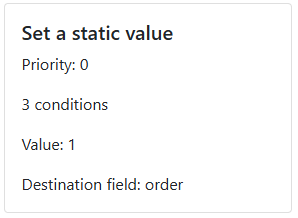
This rule requires four configuration fields:
- Priority – determines the order in which rules are evaluated
- Conditions – the criteria an asset must meet for the rule to apply
- Value – the static value to assign
- Destination – the target metaproperty that will receive the value
Example
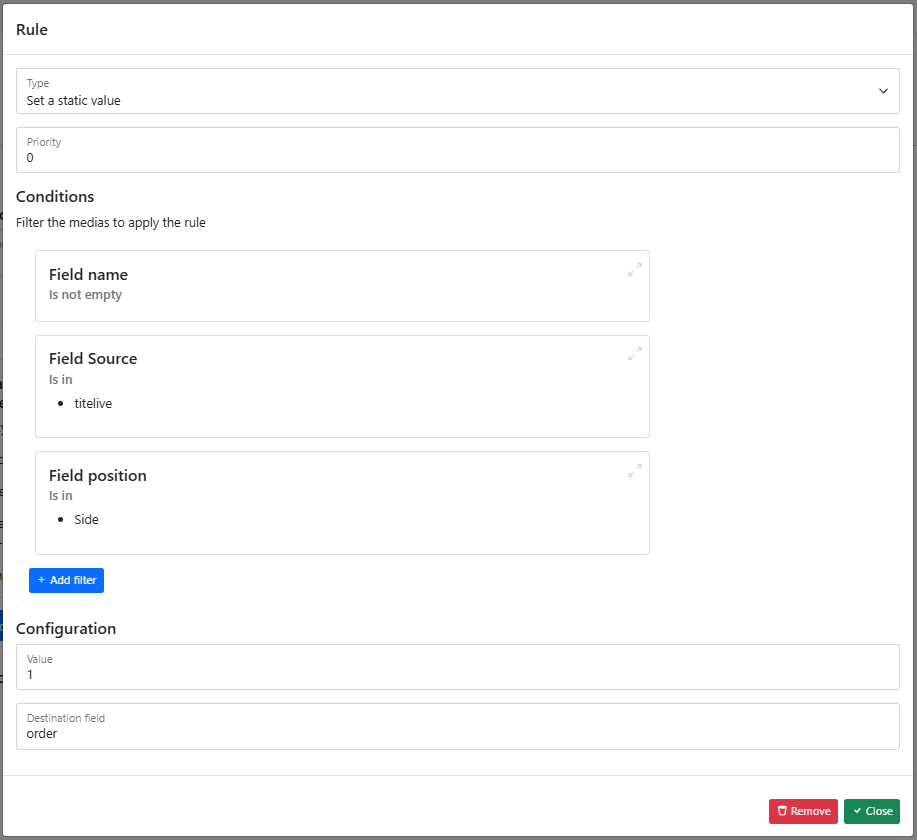
In this example, the value 1 is written to the order metaproperty whenever all of the following conditions are met:
- The asset has a name
- The source is
titelive - The position is
side
This guarantees that any matching asset is automatically ranked first in the asset list — a convenient way to manage the main image for your products.
Empty Value
To remove a value that was previously set on a metaproperty, use the "Empty Value" rule.
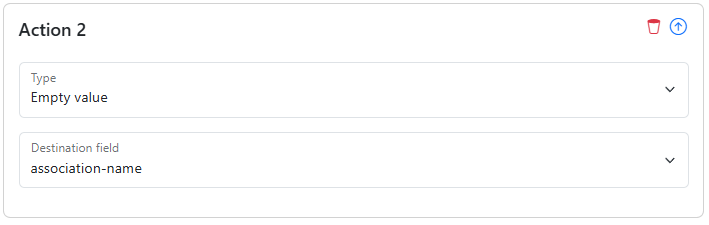
Simply select the metaproperty you want to clear. No additional configuration is needed.
Dynamic Datetime
To record when a rule was applied — or to timestamp any metaproperty automatically — use the "Dynamic Datetime" rule.
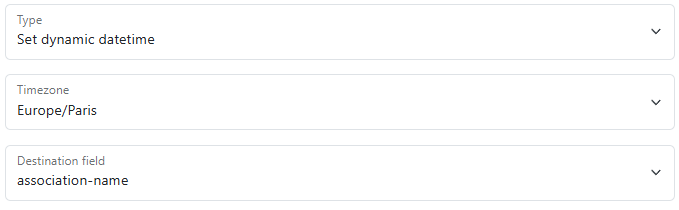
This rule requires two configuration fields:
- Timezone – your local timezone, used to format the datetime in a human-readable way
- Destination – the target metaproperty that will receive the datetime value.