

Product Mapping - Metadata Configuration
Use these mapping options to control how metaproperty values are transferred from Bynder to Akeneo. Choose the option that best fits your data structure and taxonomy.
Mapping options
Simple
The default mapping type. Transfers a Bynder metaproperty value to an Akeneo attribute without any transformation.
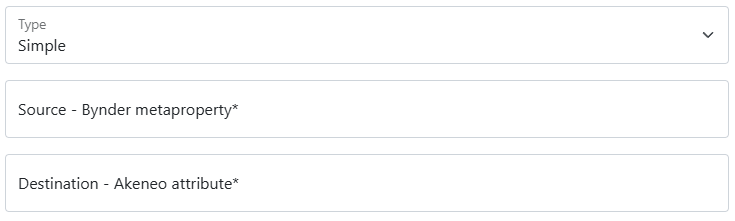
Mandatory fields
- Source – the property code of your Bynder metaproperty
- Destination – the attribute code of your Akeneo asset attribute
Optional fields
You can scope the enrichment to a specific locale and/or channel. See Generic configuration: Locales and Channels for more information.
External Reference
Use this mapping type when your product identifiers contain special characters that Bynder cannot handle natively. A preliminary job can push SKUs or model codes from Akeneo to Bynder — even if they contain special characters — after which subsequent jobs can use this mapping to read them back.
See Akeneo to Bynder: Product Information for details on that preliminary job.
Mandatory fields for External reference
- Source – the property code of your Bynder metaproperty
- Destination – the attribute code of your Akeneo asset attribute
Optional fields for External reference
You can scope the enrichment to a specific locale and/or channel. See Generic configuration: Locales and Channels for more information.
Extract with Regular Expression
A powerful mapping type for extracting structured data from a text value.
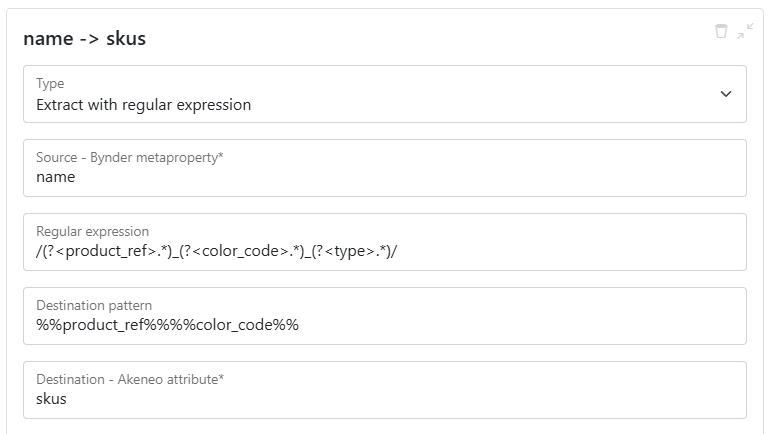
Mandatory fields for Regex
- Source – the property code of your Bynder metaproperty
- Regular expression – the pattern used to parse the source value into named capture groups. For example, the following splits a filename into
product_ref,color_code, andtype:
/(?<product_ref>.*)_(?<color_code>.*)_(?<type>.*)/
- Destination pattern – defines how to assemble the output from the captured groups. Wrap group names in
%%to reference them as dynamic values. For example:%%product_ref%%%%color_code%%— concatenates the two groups directly%%product_ref%%(AND)%%color_code%%— joins them with the static string(AND)
- Destination – the attribute code of your Akeneo asset attribute
Optional fields for Regex
You can scope the enrichment to a specific locale and/or channel. See Generic configuration: Locales and Channels for more information.
Fixed Value
Sends a hardcoded value to an Akeneo attribute, regardless of the asset's metaproperties. The value is sent as-is — no transformation is applied.
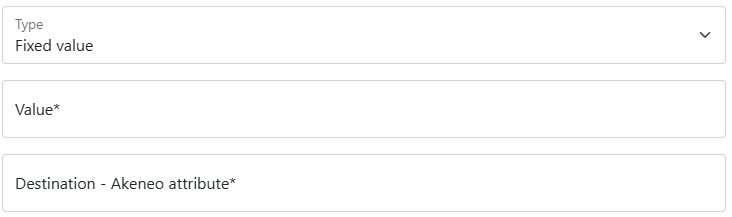
Mandatory fields for Fixed Value
- Value – the fixed value to send
- Destination – the attribute code of your Akeneo asset attribute
Optional fields for Fixed Value
You can scope the enrichment to a specific locale and/or channel. See Generic configuration: Locales and Channels for more information.
Value Mapping
Use this option when Bynder and Akeneo use different values for the same concept — for example, mapping country names to locale codes.
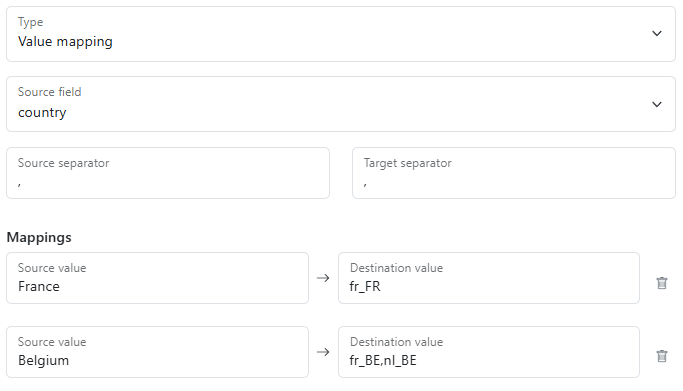
Mandatory fields for value mapping
- Source – the metaproperty to read values from
- Source separator – the delimiter used to split multiple values in the source
- Target separator – the delimiter used to join multiple mapped values in the output
- Mappings – the list of source → destination value pairs
- Destination – the metaproperty that will receive the translated value(s)
Example
| Source value | Mapped output |
|---|---|
France | fr_FR |
Belgium | fr_BE,nl_BE |
When multiple source values are matched, their outputs are each resolved individually, then joined with the Target separator. With a separator of ,, an asset tagged with both France and Belgium produces:
fr_FR,fr_BE,nl_BE
Optional fields for value mapping
You can scope the enrichment to a specific locale and/or channel. See Generic configuration: Locales and Channels for more information.
Empty Value
Clears a value that was previously set on a metaproperty.
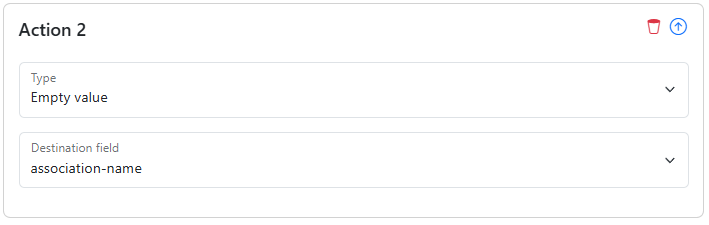
Simply select the metaproperty you want to clear. No additional configuration is needed.
Option Sync
Keeps a Bynder option list in sync with Akeneo by automatically creating any missing option values in Akeneo. This removes the need to manage the same list in both tools.
The configuration is identical to the Simple mapping type.
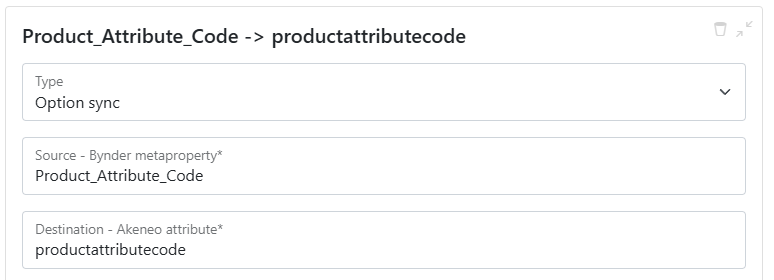
Mandatory fields for Options
- Source – the property code of your Bynder metaproperty
- Destination – the attribute code of your Akeneo asset attribute
Optional fields for Options
You can scope the enrichment to a specific locale and/or channel. See Generic configuration: Locales and Channels for more information.
Video Preview
Imports a video URL from Bynder into Akeneo. Since Bynder can generate multiple preview URLs per video (e.g. mp4, webm), this option lets you control which format is imported.
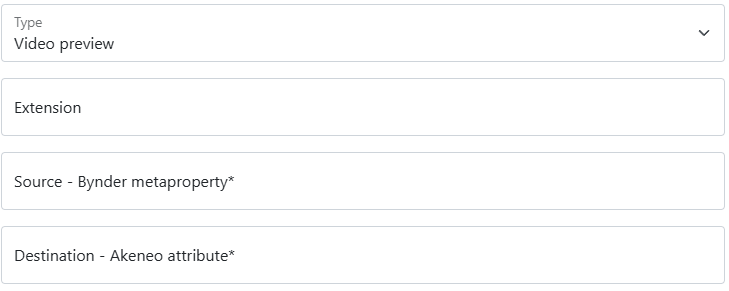
Mandatory fields for video preview
- Source – the property code of your Bynder metaproperty
- Destination – the attribute code of your Akeneo asset attribute
Optional fields for video preview
- Extension – the file extension of the video URL to import (e.g.
mp4). If left empty, all URLs returned by the Bynder API will be sent to Akeneo.
You can also scope the enrichment to a specific locale and/or channel. See Generic configuration: Locales and Channels for more information.
Generic configuration: Locales and Channels
Most mapping types support scoping the enrichment to one or more locales and/or channels.
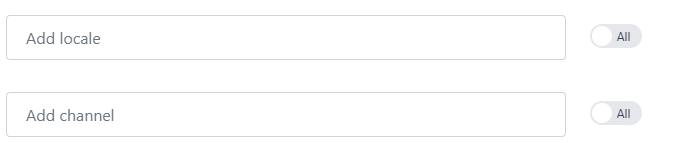
If your Akeneo asset attribute is localisable or scopable, you can target specific locales or channels by entering their Akeneo codes in the corresponding fields.
| Goal | How to configure |
|---|---|
| Enrich a single locale | Enter its code, e.g. en_US |
| Enrich multiple locales | Enter codes separated by commas, e.g. en_US,en_GB,fr_FR |
| Enrich all active locales | Enable the All active locales checkbox |
The same logic applies to channels.