

Extract with Regular Expressions
Regular expression rules let you extract structured information from a metaproperty value. They are especially powerful when your assets follow a naming convention.
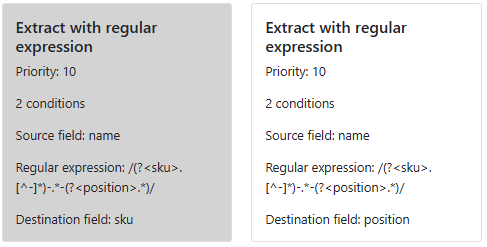
Like other rules, you can define conditions to control when the rule applies. You must also configure four fields:
- Source field – the metaproperty to analyze
- Regular expression – the pattern used to parse the source value
- Destination pattern – what to extract and how to format the output
- Destination field – the metaproperty where the extracted value will be written
Example
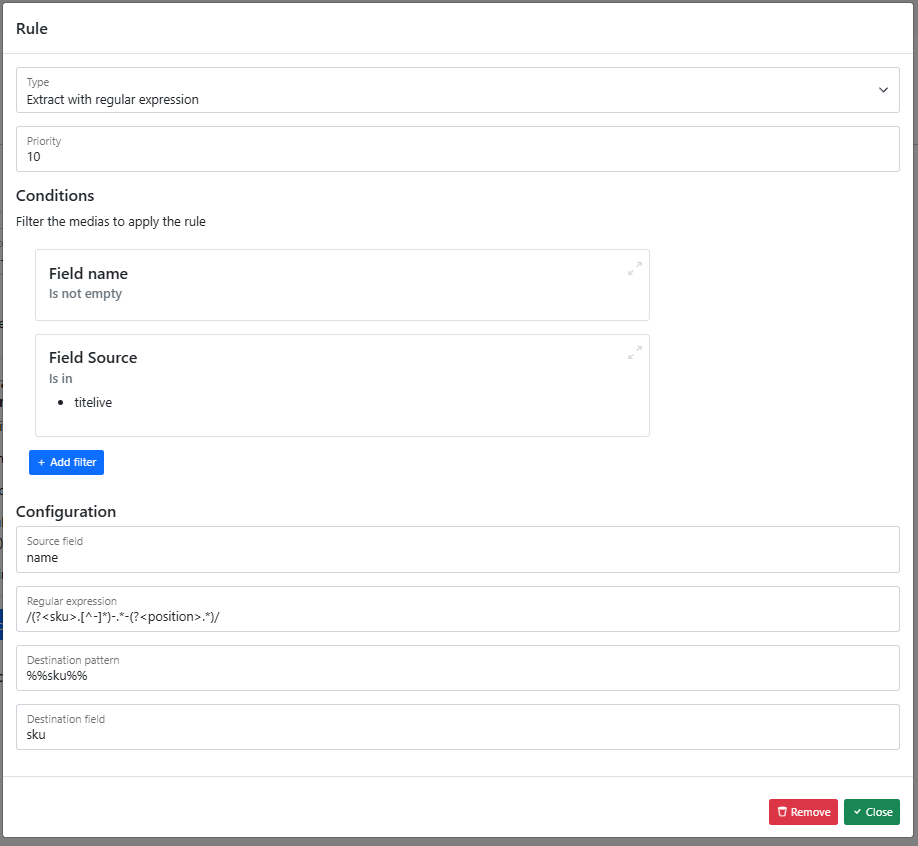
In this example, the rule applies when the asset:
- has a name
- has the source
titelive
The naming convention for these assets follows this structure:
{sku}-{...}-{position}
To extract both the sku and the position, we define the following regular expression:
/(?<sku>[^-]*)-.*-(?<position>.*)/
💡 You can test and refine your regular expressions on Regex101.
Destination pattern syntax
Named capture groups (e.g. sku, position) can be referenced in the destination pattern by wrapping them in %%:
| Pattern | Output |
|---|---|
%%sku%% | The extracted SKU value only |
%%sku%%_%%position%% | SKU and position joined by an underscore |
Without the %% delimiters, the value is treated as a static string rather than a dynamic reference.
In this example, the destination pattern %%sku%% sends the extracted SKU to the sku metaproperty in Bynder.